30+ Git Commands That I Frequently Use
Originally published at blog.bhanuteja.dev
In this article, I will list out all the git commands that I use very frequently. This is not in any way a complete list, just the commands that I use very often. This is intended to be used as a quick reference to perform an action that you want.
- Clone repo
- Clone repo into specified directory
- Initialize current directory as a git repo
- Add a file
- Add all the files in current directory
- Add all the files including files in .gitignore
- Create a new commit
- Add changes to existing commit
- Show status
- Show status in short format
- Show status in short format and show branch
- Show the commit logs
- Show the diff for unstaged files
- Show the diff for staged files
- Show all the remotes with URLs
- Add a new remote
- Change URL for existing remote
- Switch to another branch
- Create a new branch and switch to it
- Remove all the unstaged changes in the current directory
- Remove all the unstaged changes for a file
- Push local changes to the remote repo
- Push and set the remote as upstream
- Force push local changes to the remote repo
- Delete the branch in the remote repo
- Delete the branch locally
- Force delete the branch locally
- Remove all untracked files and directories
- Merge the branch to the current branch
- Fetch changes from the remote and merge
- Remove all the changes to the tracked files that haven't been committed yet
git clone
# Create 'blogs' folder and clone the 'pbteja1998/blogs' repo into itgit clone https://github.com/pbteja1998/blogs.git
# Create `my-blogs` folder and clone the `pbteja1998/blogs` repo into itgit clone https://github.com/pbteja1998/blogs.git my-blogs
git init
# Initializes the current directory as a git repogit initgit add
# Adds the file contents to the index# Ready to be committed next time you run `git commit`# By default, Ignores the files present in `.gitignore`
# Add a single filegit add README.md
# Add all the files in the current directorygit add .
# Also adds the files present in `.gitignore`git add -f .
git commit
# Commits/Records the changes to the local repogit commit -m "some message"
# Does not create a new commit# Adds the changes to the most recent commitgit commit --amend
git status
# Shows the status of the working treegit status
# Shows the output in short formatgit status -s
# Shows the branch even in short formatgit status -sb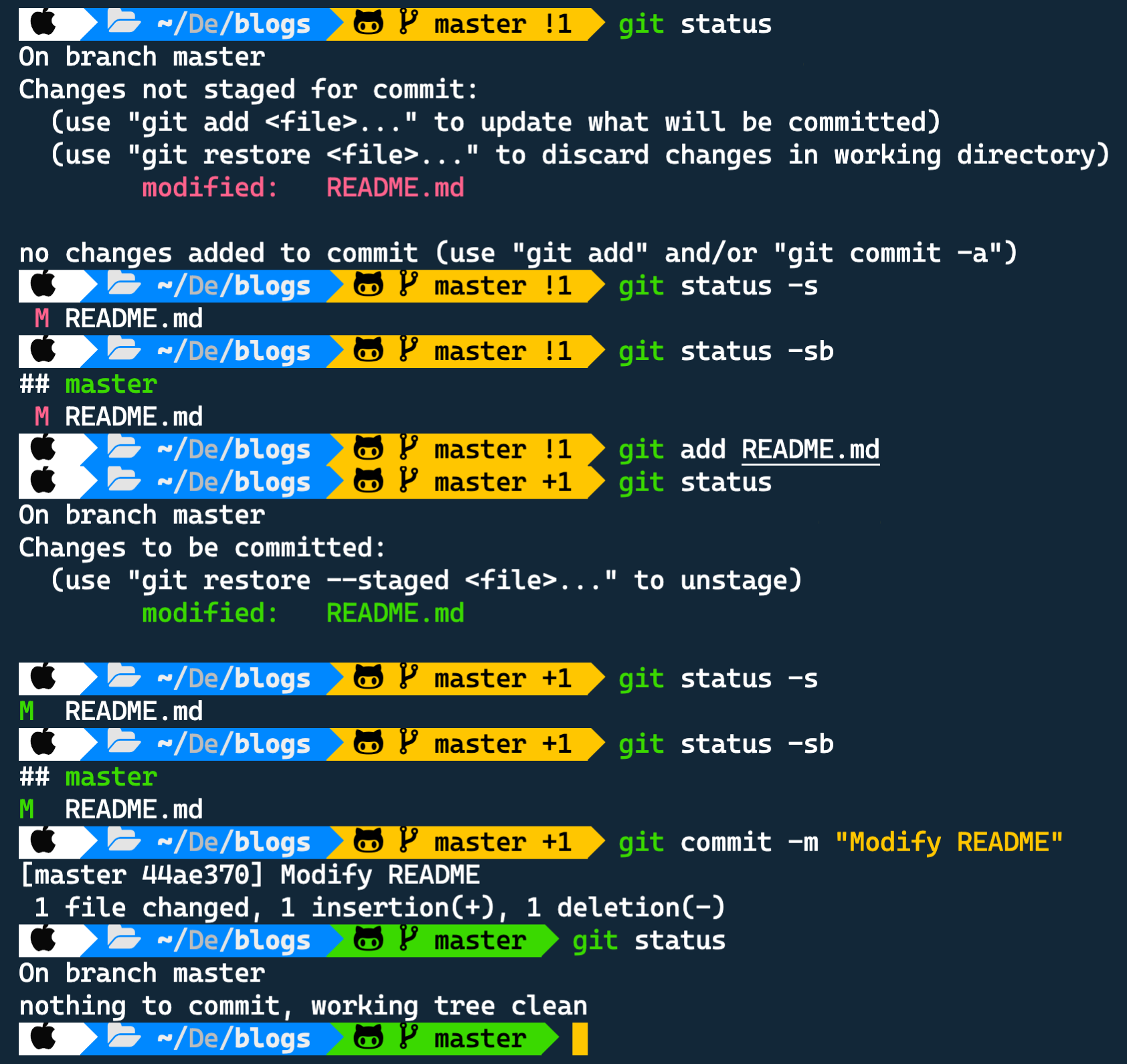
git log
# Shows the commit logsgit log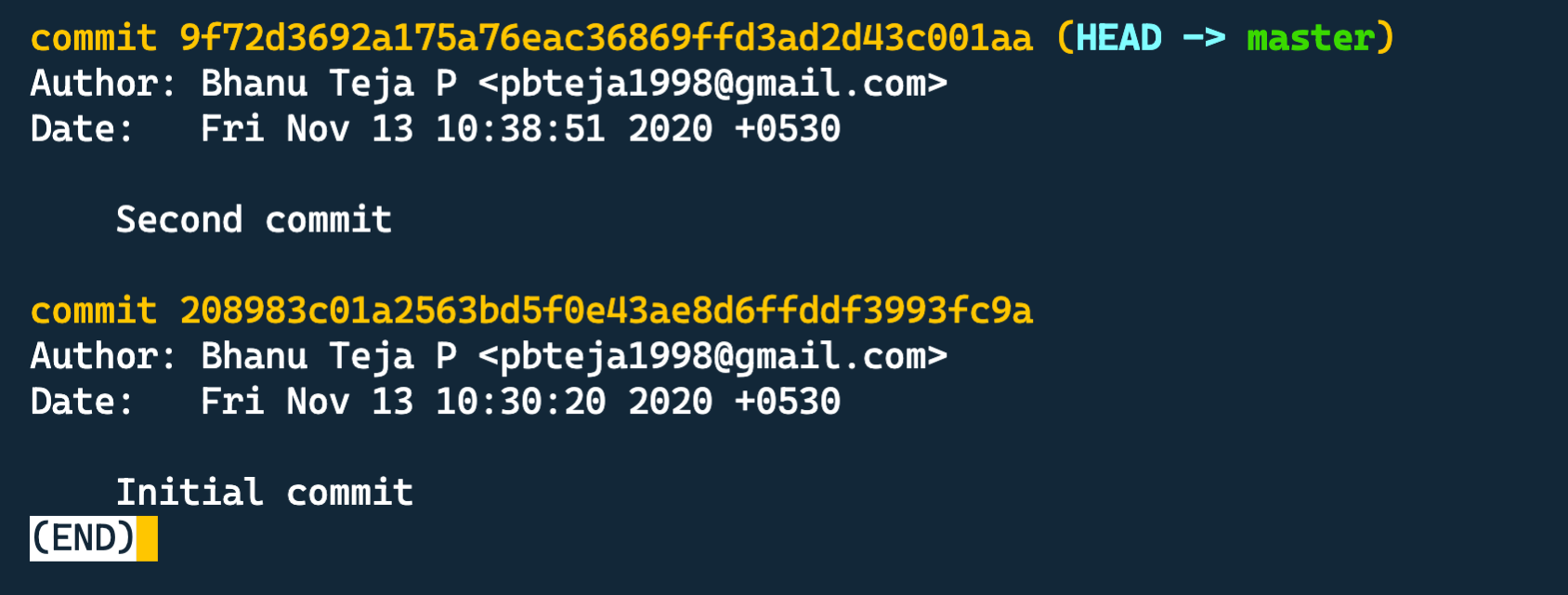
git diff
# Shows the changes between unstaged files and the commitsgit diff
# Shows the changes between staged(ready-to-be-committed) files and the commitsgit diff --staged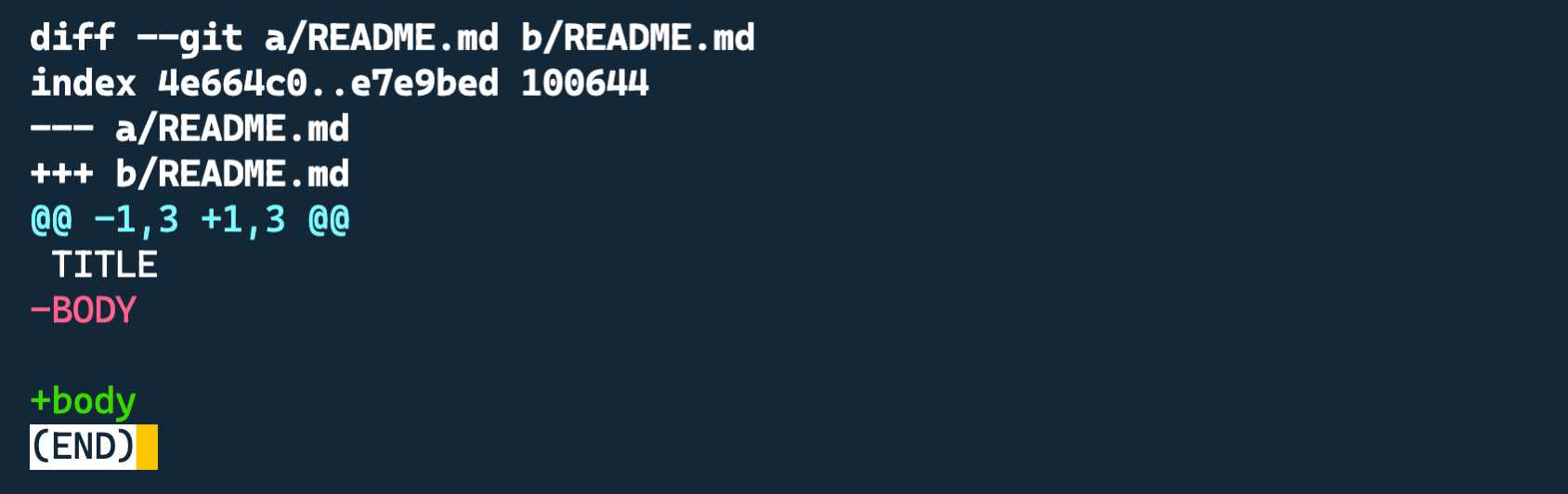
git remote
# Shows all the remotes configured and their remote URLgit remote -v
# Adds a remote# git remote add <remote-name> <remote-url>git remote add upstream https://github.com/something/blogs.git
# Changes the URL of the remotegit remote set-url upstream https://github.com/some-thing/blogs.git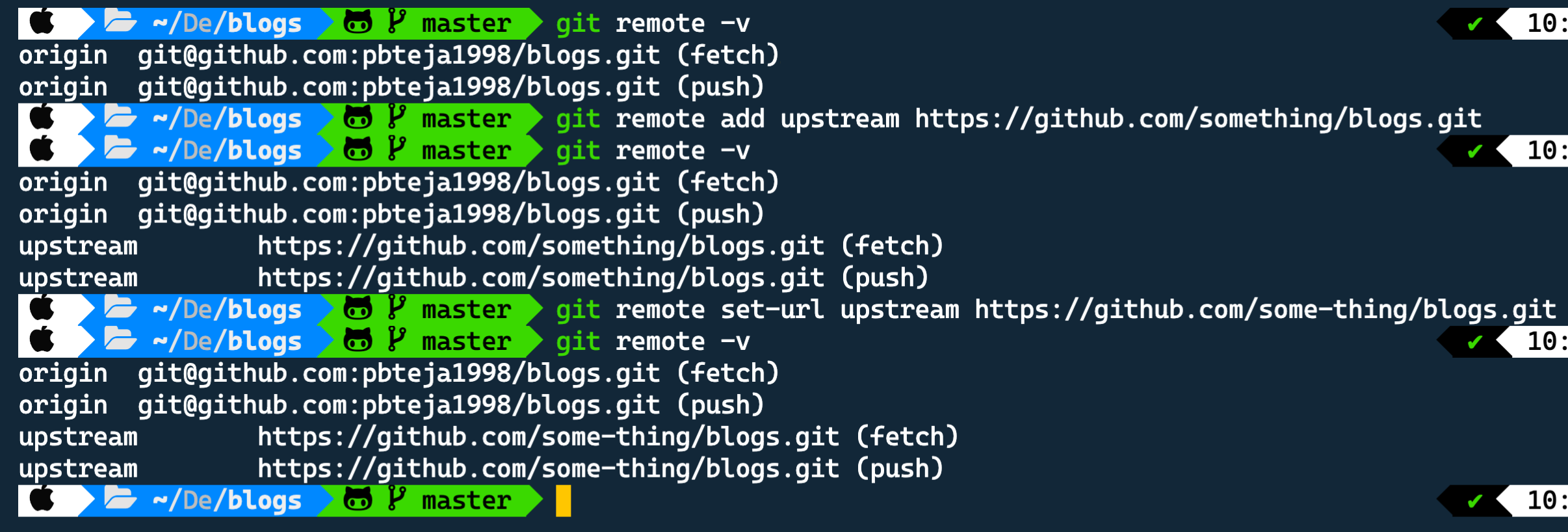
git checkout
# Switch to branch # git checkout <branch>git checkout master
# Creates a new branch and switch to thatgit checkout -b new-feature
# Removes all the unstaged changes in the current directorygit checkout .
# Removes all the unstaged changes for a filegit checkout -- README.md
git push
# Pushes the local changes to the remote to keep it up-to-dategit push origin master
# Force push the local changes to the remote# Usually git will not allow you to push to the remote if the remote has some commits that are not present in the local repo# This will override that check and lets you force push to the remote# This may cause the remote to lose some commits. So use it carefully.git push -f origin master
# Push and set the remote as upstream # same as `git push --set-upstream origin feature-branch`git push -u origin feature-branch
# Deletes the branch in the remote# same as `git push --delete origin new-feature`git push -d origin new-feature
git branch
# Deletes the branch locally# same as `git branch --delete feature-branch`git branch -d feature-branch
# Force delete a branch even if it's not merged# same as `git branch --delete --force feature-branch`git branch -D feature-branch
git clean
# Removes all the files and directories that are not yet tracked by gitgit clean -fdgit merge
# Merges the <branch> to the current branch# git merge <branch>git merge feature-branchgit pull
# Fetches the changes from the remote and merge it into local repogit pull origin mastergit reset
# Removes all the changes to the tracked files that have not yet been committedgit reset --hardWhat's Next?
The next article will most probably be a part of My Review of Kent C. Dodds's EpicReact.Dev. Check out the series page for more info.
Until Next Time 👋
If you liked this article, check out - Create Your Own Super Simple URL Shortener - Why you should start using HSL color format - Hyphenate when you justify text
If you have any comments, please leave them below or you can also @ me on Twitter (@pbteja1998), or feel free to follow me.
%%[newsletter]